Solo
$12 / month
- 1 person
- Up to 20 machines
- 2 hours a day of remote time


Reach your team's computers from anywhere, get every machine set up properly, and have someone to call when a person gets stuck.
Every account starts with a short conversation, so we can set it up properly for your business.
Northwind Studio · Launcher
1 h 20 min of remote time left today. Resets at midnight Eastern Time.
Aile Insight
Most of the businesses we talk to have tried a remote desktop tool already. The tool usually works. What's missing is someone who sets it up on every machine, checks it works from the places you actually need it, and picks up when a person gets stuck.
That's the part we do. We install Aile Insight with you on a 20-minute call, set each machine up the same way, and stay reachable during working hours. You get remote access, plus a person who knows your setup.
What you can reach
Screen Sharing in a browser tab: see the screen and work on it.
Remote Desktop, or screen sharing when someone is working at the PC.
A terminal in your browser for Linux servers.
A small app on each machine makes the connection, so there are no router or firewall settings to change. How remote access works
Use cases
A new assistant gets stuck on their first client call. You can see the same screen and guide them through it.
Teach a workflow on the learner's own machine instead of explaining it over chat.
Leave the office Mac where it is. Open it from home when you need it.
Help a colleague's machine without walking across the office or asking them to describe the screen.
If the office is unavailable, staff can still reach the machines they normally work on.
In the product
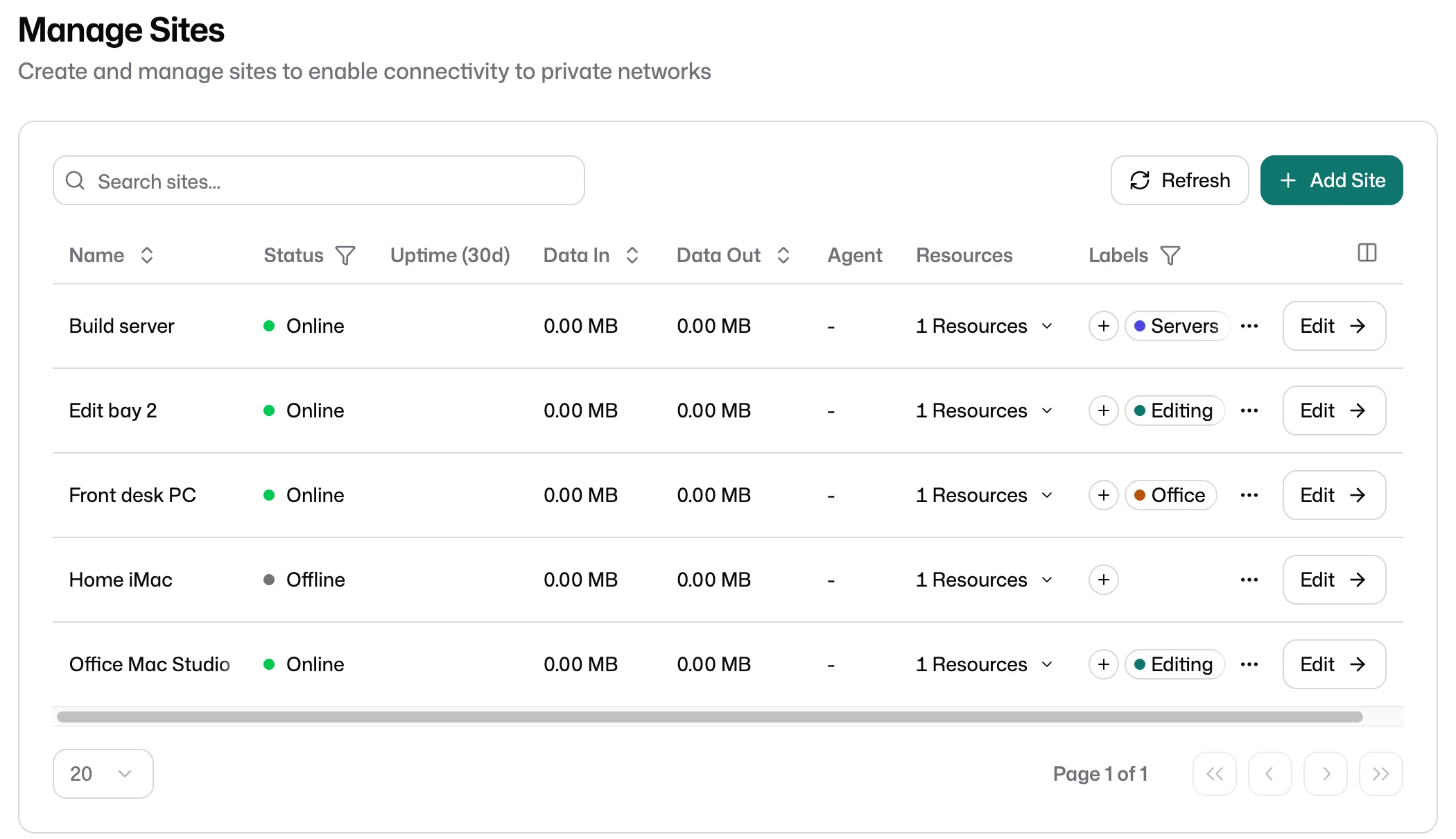
One list of the computers you can reach, on every plan. Team and Studio add labels and saved views, so a growing list stays easy to scan.
Open a colleague's Mac and see what they see. Step in with the mouse and keyboard when they need a hand, with their knowledge, while they keep working.
From our members
Aile made our onboarding much easier now that each assistant can be individually guided through their first contact with our clients.
We have other solutions for remote access, but it is nice to have Aile for guiding junior developers through our AI workflows and upskilling them.
Would highly recommend this to people with teams spread everywhere. It helped us standardize how we do things by making sure all our devices are at par software-wise, as well as sharing files.
Getting started
About 2 minutes. Tell us what you need to reach. No card.
A short conversation about your machines and your team, so we can plan the setup.
About 20 minutes. We install it with you and connect your first machine.
Starts when your first machine connects. Team features included. Free, no card.
When your trial ends, we'll send you a simple way to pay for the plan you choose.
The application takes about 2 minutes. The 14-day trial starts when your first machine connects. No card.
Plans
$12 / month
$29 / month
$59 / month
More than 15 people? Talk to us. Compare plans
Every account starts with a conversation. If Aile Insight is a good fit, we'll set it up with you and start the 14-day trial when your first machine connects.